Small Business Invoicing
Professional Invoice Software for Growing Businesses
Streamline your small business invoicing with professional tools designed to help you get paid faster and manage cash flow effectively.
Professional invoicing without the enterprise price tag
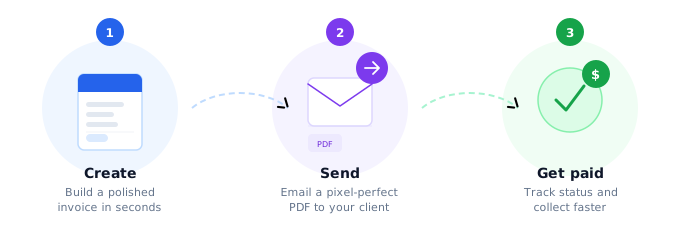
Every hour spent on admin is an hour not spent serving customers, and a slow invoicing process delays cash flow directly. Zap Bill gives small businesses branded, professional invoices in under a minute.
- Branded invoice in under a minute, no accounting software to learn
- Saved client profiles, invoice tracking and repeat templates
- Free to start — no subscription for your first three invoices
Why Small Businesses Choose Our Invoicing Software
Designed specifically for small businesses that need professional invoicing without the complexity of enterprise software.
Fast & Efficient
Create professional invoices in minutes, not hours. Spend more time growing your business.
Improve Cash Flow
Professional invoices with clear payment terms get paid 40% faster than basic invoices.
Professional Image
Consistent, branded invoices that reinforce your business credibility and professionalism.
Business Insights
Track invoicing patterns, payment times, and revenue trends to make better business decisions.
Know what you are owed at a glance
Filter paid, sent, overdue and draft invoices in one list, so chasing late payment never depends on memory or a spreadsheet.

Small Business Invoicing Features
Everything your small business needs for professional invoicing
Multi-User Access
- Team members can create invoices
- Role-based permissions
- Collaborative invoice management
Recurring Invoices
- Automatic monthly/quarterly billing
- Subscription management
- Retainer and service agreements
Brand Customization
- Company logo and colors
- Custom invoice templates
- Consistent brand experience
Business Reports
- Revenue tracking
- Outstanding invoice reports
- Tax reporting assistance
Integration Ready
- Accounting software integration
- Cloud storage connections
- CRM system compatibility
Professional Business Templates
Choose from business-focused templates that project professionalism and credibility
Modern Professional
ProfessionalClean, contemporary design perfect for tech companies and modern businesses.
Best for
Classic Business
ProfessionalTraditional professional layout suitable for established businesses and corporate use.
Best for
Elegant Premium
ProfessionalSophisticated and elegant design for luxury brands and high-end services.
Best for

Customer details, saved once
Store contact details, tax numbers and billing notes against each customer so repeat invoices start already filled in.
Small Business Invoice: What to Include
A complete invoice is the foundation of healthy cash flow. Every field you include reduces questions from clients and speeds up payment processing.
Your Business Details
- Legal business name and trading name (if different)
- Business registration or EIN/ABN/Company number
- VAT/GST registration number if applicable
- Business address, phone, and email
Client Details
- Client or company name and billing contact name
- Client billing address
- Client purchase order or reference number
- Unique invoice number and invoice date
Products & Services
- Clear description of each product or service
- Quantity and unit price for each line item
- Tax rate applied per line item or to the total
- Discount amounts shown separately if applicable
Totals & Payment Terms
- Subtotal, tax breakdown, and total amount due
- Payment due date (e.g. Net 30 from invoice date)
- Accepted payment methods with account/routing details
- Late fee policy clearly stated
Small Business Invoicing FAQs
What information must a small business invoice include?
At minimum: your business name and contact details, the client's name and address, a unique invoice number, the invoice date, payment due date, a description of goods or services with quantities and prices, any applicable tax, and the total amount due. Including your business registration number builds additional trust.
How do I choose payment terms for my small business invoices?
Net 30 (payment due in 30 days) is the standard for B2B invoicing. For smaller jobs or new clients, Net 14 or Net 15 improves your cash flow. For large projects, consider 50% upfront and 50% on completion. Always state your payment terms clearly on every invoice.
Do I need invoicing software, or can I use a free invoice generator?
For most small businesses, a free invoice generator is sufficient. Dedicated accounting software makes sense once you need bank reconciliation, payroll, or financial reporting. Zap Bill creates professional PDF invoices for free — no monthly subscription until you need more than 3 invoices a month.
How long should I keep copies of my invoices?
Tax authorities in most countries require you to keep business records for 5–7 years. In the US, the IRS recommends at least 3 years but 7 years is safer. In the UK, HMRC requires 6 years. Store PDF copies of all invoices — both sent and received.
Can I add a late payment fee to my invoices?
Yes, but you must state it in your payment terms for it to be enforceable. A common rate is 1.5% per month on the outstanding balance. Add a note like "Invoices unpaid after 30 days are subject to a 1.5% monthly late payment fee" to your invoice terms.
Ready to streamline your business invoicing?
Join thousands of small businesses that have improved their cash flow with professional invoicing.