Zap Bill vs Xero Honest Comparison for Invoice Makers
Compare Zap Bill and Xero accounting software. Xero is a full accounting platform starting at $15/month, while Zap Bill offers simple invoicing for free or $9.99/month.
Try Zap Bill FreeAbout Xero vs Zap Bill
Xero is a cloud-based accounting platform popular with small and medium-sized businesses, particularly in Australia, New Zealand, and the UK. It competes directly with QuickBooks and offers a comprehensive set of features including bank reconciliation, multi-currency accounting, payroll integration, inventory tracking, and over 1,000 third-party app integrations. Xero's invoicing is polished and professional, and it connects naturally with its accounting features — when a client pays an invoice, Xero can automatically reconcile the payment with your bank account. For growing businesses with complex financial needs, Xero provides serious value. However, like all full-stack accounting platforms, Xero charges a premium for those capabilities: plans start at $15 per month and rise to $78+ for advanced features, making it one of the more expensive options in this comparison. Xero also has a meaningful learning curve for users who aren't accountants or bookkeepers by trade. Zap Bill is the right choice when you need professional invoicing without the accounting overhead. It's 95% cheaper than Xero's entry-level plan, requires zero training, and gets your first invoice ready in under a minute. Upgrade to Xero when your business genuinely needs double-entry bookkeeping — until then, Zap Bill keeps things simple.
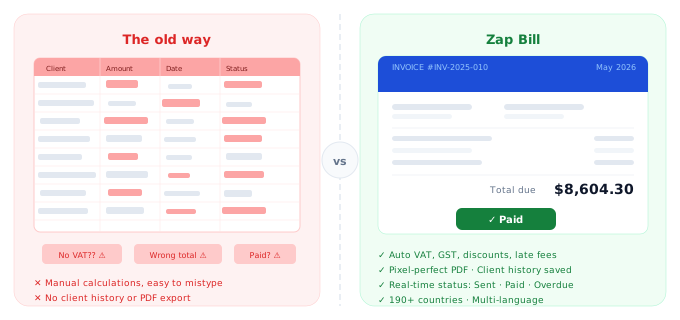
Quick Comparison
| Feature |
Zap Bill
|
Xero |
|---|---|---|
| Pricing | Free (3 invoices total), $9.99/month unlimited | $15-$78/month |
| Best For | Freelancers and small businesses needing just invoicing | Growing businesses needing full accounting |
| Setup Time | 30 seconds | 5-15 minutes |
| Learning Curve | None - instant | Moderate to steep |
Feature Breakdown
Zap Bill Features
- Lightning-fast invoicing
- Professional templates
- Quotes & estimates
- Simple pricing
- No learning curve
- Instant PDF download
- Perfect for solopreneurs
Xero Features
- Full accounting software
- Bank reconciliation
- Payroll integration
- Multi-currency accounting
- Financial reports
- 1000+ app integrations
Pros & Cons
Zap Bill
Pros
- 95% cheaper
- No training needed
- Instant start
- Invoice-focused
Cons
- No accounting features
- No bank reconciliation
- Not for complex businesses
Xero
Pros
- Full accounting suite
- Strong integrations
- Bank feeds
Cons
- Expensive for invoicing only
- Complex setup
- Steep learning curve
Our Honest Recommendation
Choose Xero if you need growing businesses needing full accounting. Choose Zap Bill if you want freelancers and small businesses needing just invoicing.
Both are excellent tools - the right choice depends on your specific needs. Zap Bill focuses on doing one thing exceptionally well: creating beautiful invoices fast.
Try Zap Bill Free (No Signup)Frequently Asked Questions
Is Xero worth paying for if I only need invoicing?
Xero starts at $15/month and is designed for businesses with complex financial needs — bank reconciliation, payroll, multi-currency accounting. If you only send invoices, you'd be paying for features you never use. Zap Bill does invoicing for free or $9.99/month.
What is a cheaper alternative to Xero for freelancers?
Zap Bill costs 95% less than Xero for invoice-only use. At $9.99/month for unlimited invoices, it's purpose-built for freelancers and small businesses that need professional invoicing without a full accounting suite.
Is Xero difficult to learn for non-accountants?
Xero has a notable learning curve for users without an accounting background. Zap Bill requires no training — the interface is designed so anyone can create a professional invoice on their first visit without reading any documentation.