Zap Bill vs QuickBooks Honest Comparison for Invoice Makers
Compare Zap Bill and QuickBooks for invoicing. QuickBooks is a full accounting platform starting at $30/month, while Zap Bill offers simple invoice generation for free or $10/month - perfect for those who only need invoicing.
Try Zap Bill FreeAbout QuickBooks vs Zap Bill
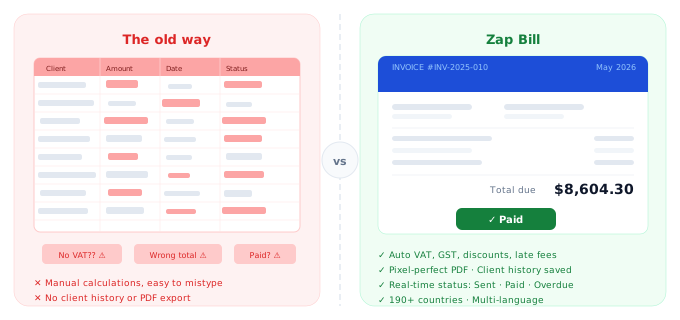
QuickBooks is the dominant name in small business accounting software, used by millions of businesses worldwide for everything from bookkeeping and payroll to tax preparation and inventory management. Intuit's flagship product is genuinely powerful — it integrates with hundreds of third-party tools, produces detailed profit-and-loss reports, and can serve businesses from sole traders to mid-sized companies with complex financial needs. But that power translates directly into cost and complexity. QuickBooks Online starts at $30 per month and climbs to $200 or more for plans with advanced features, making it one of the most expensive options in this comparison. There's also a significant learning curve: many new users report spending hours navigating the interface before they feel comfortable, and many small businesses end up paying for accounting features they never touch. If your business legitimately needs payroll, inventory tracking, bank reconciliation, and financial reporting, QuickBooks earns its price tag. But if you need to send professional invoices to clients and get paid — and nothing more — Zap Bill does that for free in under a minute, with no accounting degree required.
Quick Comparison
| Feature |
Zap Bill
|
QuickBooks |
|---|---|---|
| Pricing | Free (3 invoices total), $9.99/month unlimited | $30-$200/month |
| Best For | Freelancers & small businesses needing just invoicing | Established businesses with complex accounting |
| Setup Time | 30 seconds | 5-15 minutes |
| Learning Curve | None - instant | Moderate to steep |
Feature Breakdown
Zap Bill Features
- Fast invoice generation
- Professional templates
- Quotes & estimates
- Simple pricing
- No contracts
- Instant PDF download
- Perfect for solo users
QuickBooks Features
- Enterprise accounting
- Inventory management
- Tax preparation
- Payroll integration
- Multi-user access
- Advanced reporting
Pros & Cons
Zap Bill
Pros
- 97% cheaper
- Easy to use
- Fast setup
- No learning curve
Cons
- Invoice-only focus
- No accounting
- Not for complex businesses
QuickBooks
Pros
- Industry standard
- Comprehensive features
- Integrations with everything
Cons
- Very expensive
- Steep learning curve
- Overkill for invoicing only
Our Honest Recommendation
Choose QuickBooks if you need established businesses with complex accounting. Choose Zap Bill if you want freelancers & small businesses needing just invoicing.
Both are excellent tools - the right choice depends on your specific needs. Zap Bill focuses on doing one thing exceptionally well: creating beautiful invoices fast.
Try Zap Bill Free (No Signup)Frequently Asked Questions
Do I need QuickBooks just to send invoices to clients?
No. QuickBooks is a full accounting platform starting at $30/month, designed for businesses that need bookkeeping, payroll, and financial reporting. If invoicing is your only need, Zap Bill does that for free with no accounting complexity.
What is a cheap QuickBooks alternative for invoicing only?
Zap Bill is 97% cheaper than QuickBooks for invoice-only use. At $9.99/month for unlimited invoices versus QuickBooks at $30–$200/month, you get professional PDF invoices without paying for features you'll never touch.
Can freelancers send professional invoices without QuickBooks?
Absolutely. Thousands of freelancers use dedicated invoice tools instead of full accounting software. Zap Bill creates branded invoices with automatic tax calculations and instant PDF export — no accounting background required.