Zap Bill vs FreshBooks Honest Comparison for Invoice Makers
Compare Zap Bill and FreshBooks for invoicing. Zap Bill offers free invoice generation with no monthly fees, perfect for freelancers and small businesses who need simple invoicing without complex accounting features.
Try Zap Bill FreeAbout FreshBooks vs Zap Bill
FreshBooks is a cloud-based accounting platform built primarily for service businesses, freelancers, and agencies that need more than just invoicing. Founded in 2003, it has grown into one of the most recognized names in small business accounting, offering time tracking, expense management, project billing, and detailed financial reports all under one roof. Its client portal feature allows clients to view and pay invoices online, which can accelerate cash collection for businesses managing multiple accounts. However, this comprehensive feature set comes at a cost — FreshBooks starts at $19 per month, and many of its most useful features are locked behind higher tiers. For solo freelancers or small businesses that only need to send invoices, FreshBooks can feel overly complex and expensive. Zap Bill takes a leaner approach: invoicing, quotes, time and expense tracking, and recurring billing, with no monthly fees, no learning curve, and none of the double-entry bookkeeping overhead. If you need to bill clients — not run full accounting or payroll — Zap Bill gets your first invoice out in 30 seconds without touching a credit card.
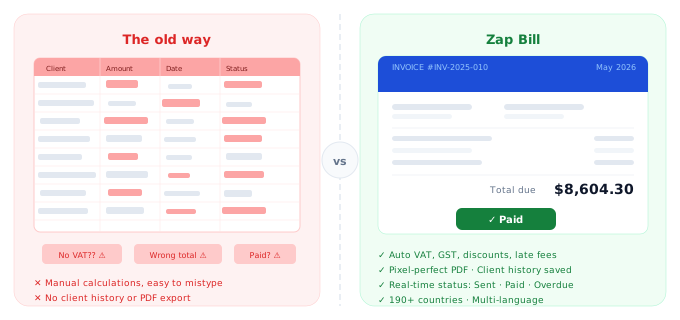
Quick Comparison
| Feature |
Zap Bill
|
FreshBooks |
|---|---|---|
| Pricing | Free (3 invoices total), $9.99/month unlimited | $19/month minimum |
| Best For | Simple invoicing, freelancers, small teams | Full accounting suite, agencies with clients |
| Setup Time | 30 seconds | 5-15 minutes |
| Learning Curve | None - instant | Moderate to steep |
Feature Breakdown
Zap Bill Features
- Lightning-fast invoice creation
- Professional templates
- Automatic calculations
- Time & expense tracking
- Quotes & estimates
- Instant PDF download
- Free invoice maker (3 total)
- No learning curve
FreshBooks Features
- Full accounting software
- Time tracking
- Expense management
- Client portal
- Multiple users
- Reports and analytics
Pros & Cons
Zap Bill
Pros
- Free to start
- Fast and simple
- No monthly fees
- Perfect for freelancers
Cons
- No full accounting or bookkeeping
- No payroll
- Fewer third-party integrations
FreshBooks
Pros
- Comprehensive features
- Established brand
- Good for agencies
Cons
- Expensive for solo users
- Complex interface
- Overkill for simple invoicing
Our Honest Recommendation
Choose FreshBooks if you need full accounting suite, agencies with clients. Choose Zap Bill if you want simple invoicing, freelancers, small teams.
Both are excellent tools - the right choice depends on your specific needs. Zap Bill focuses on doing one thing exceptionally well: creating beautiful invoices fast.
Try Zap Bill Free (No Signup)Frequently Asked Questions
Is FreshBooks worth it if I only need to send invoices?
Not for most freelancers. FreshBooks starts at $19/month and bundles accounting, time tracking, and expense management you may never use. Zap Bill creates professional invoices for free or $9.99/month with none of the accounting overhead.
What is the cheapest FreshBooks alternative for invoicing?
Zap Bill is free for 3 invoices every month and $9.99/month for unlimited — 75–90% cheaper than FreshBooks' $19–$55/month plans. It focuses entirely on invoice creation so you only pay for what you actually need.
Can I create professional invoices without FreshBooks?
Yes. Zap Bill generates pixel-perfect PDF invoices with your logo, client details, line items, and automatic tax calculations in under 60 seconds. No account is required for your first invoice.