How to Create an Invoice
Complete Step-by-Step Guide
Learn how to create professional invoices that get paid faster. From essential elements to best practices, this comprehensive guide covers everything you need to know.
Creating a professional invoice is one of the most fundamental business skills for any freelancer, consultant, contractor, or small business owner. A well-crafted invoice does more than request payment — it communicates professionalism, establishes clear expectations, protects you legally, and creates a paper trail for tax purposes. Yet many business owners still create invoices in Word documents, email spreadsheets, or — worse — never invoice at all and chase clients informally. This guide walks you through everything you need to know about creating invoices that get paid faster: what information every invoice must include, how to format it professionally, what payment terms to use, and how to follow up on overdue payments without damaging client relationships. Whether you're creating your very first invoice or looking to improve an existing process, the principles here apply whether you use an online invoice generator, a template, or build invoices from scratch. By the end, you'll understand exactly what makes an invoice effective, legally compliant, and easy for clients to approve — so payment lands in your account faster, with fewer questions and disputes along the way.
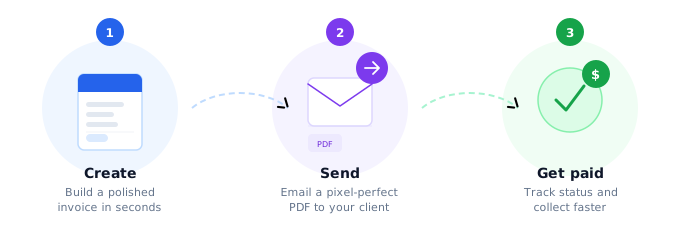

What is an Invoice?
An invoice is a commercial document that itemizes and records a transaction between a buyer and seller. It serves as a formal request for payment and provides essential details about the goods or services provided, their costs, and payment terms.
Why Invoices Matter
Creates a legal record of the transaction
Establishes clear payment expectations
Required for business tax deductions
Shows you run a legitimate business
Essential Invoice Elements
Every professional invoice must include these critical elements:
Business Information
- ✓ Your business name
- ✓ Business address
- ✓ Contact information (phone, email)
- ✓ Business logo (optional but recommended)
- ✓ Tax ID or business registration number
Client Information
- ✓ Client name or company name
- ✓ Client address
- ✓ Client contact information
- ✓ Project or purchase order number (if applicable)
Invoice Details
- ✓ Unique invoice number
- ✓ Invoice date
- ✓ Due date
- ✓ Payment terms
- ✓ Currency
Line Items
- ✓ Description of goods/services
- ✓ Quantity
- ✓ Unit price
- ✓ Line total
- ✓ Subtotal, taxes, and final total
Step-by-Step Invoice Creation
Choose Your Invoice Format
Decide whether to use invoice software, invoice templates, or create from scratch. For professional results with minimal effort, use an invoice generator like ours.
Add Your Business Information
Include your complete business details at the top of the invoice. This establishes credibility and makes it easy for clients to contact you.
Enter Client Details
Add your client's complete information. Double-check for accuracy to ensure the invoice reaches the right person and payment department.
Generate Invoice Number
Create a unique invoice number using a consistent system (e.g., INV-2024-001). This helps with organization and makes it easier to track payments.
Set Dates and Terms
Add the invoice date and due date. Include clear payment terms (e.g., "Net 30" means payment is due within 30 days).
List Products or Services
Create detailed line items for each product or service. Include clear descriptions, quantities, rates, and totals for transparency.
Calculate Totals
Add subtotals, apply any discounts, calculate taxes, and show the final total amount due. Double-check all calculations for accuracy.
Add Payment Information
Include accepted payment methods, bank details, or online payment links. Make it as easy as possible for clients to pay you. Learn more about invoice best practices.
Review and Send
Proofread everything carefully, save a copy for your records, and send the invoice to your client promptly after completing the work.
How to Make an Invoice from Scratch
Starting from a blank document? These seven steps ensure your invoice is complete, professional, and legally sound.
Open your tool of choice
Use Word, Google Docs, Excel, or a free online invoice generator — whichever you're comfortable with.
Add your business header
Include your business name, logo, address, phone, and email at the top of the document.
Create the client section
Add the recipient's name, company, address, and a unique invoice number alongside the invoice date and due date.
Build the line-item table
List each service or product with a description, quantity, unit price, and line total. Keep descriptions specific.
Add the totals block
Show subtotal, any discounts, applicable taxes, and the final amount due. Double-check every calculation.
Include payment terms
State the due date (e.g. Net 30), accepted payment methods (bank transfer, card, PayPal), and any late fee policy.
Save as PDF and send
Export to PDF to lock the formatting, then keep the editable version as your template for future invoices.
Shortcut: Use Zap Bill's free invoice generator to skip steps 1–5 entirely — fill in your details and download a polished PDF in under 2 minutes.
Professional Tips for Better Invoices
Design Tips
- • Use consistent branding and colors
- • Keep layout clean and organized
- • Use professional fonts
- • Include your logo for brand recognition
- • Ensure good contrast for readability
Communication Tips
- • Send invoices promptly after work completion
- • Use clear, descriptive line items
- • Include thank you notes
- • Set up automated reminders
- • Follow up professionally
Setting Payment Terms That Get You Paid
This is the short version. For every term compared side by side, copy-paste wording, late fee rules and a chase sequence, see the full guide to invoice payment terms.
Common payment term options
- • Due on receipt: Best when work is delivered instantly.
- • Net 7 / Net 15 / Net 30: Standard business terms that define how many days the client has to pay.
- • Milestone or progress: Split invoices by project phases to keep cash flow steady.
- • Retainer + final payment: Useful for creative or consulting projects.
Tips for faster payments
- • Offer multiple payment methods (bank transfer, cards, digital wallets).
- • Include late fee policies and early payment incentives.
- • Add a short thank-you note to keep client relationships positive.
- • Schedule automated reminders a few days before the due date.
Invoice Tools & Software Recommendations
Zap Bill Free Invoice Generator
Create invoices online with live previews, automatic totals, and instant PDF downloads.
Try nowDownloadable Templates
Grab ready-made PDF, Word, or Excel invoice templates for offline use and custom branding.
Browse templatesAccounting Integrations
Export CSV summaries from Zap Bill and import them into QuickBooks, Xero, or Wave for bookkeeping.
Coming soon: direct integrations with leading accounting platforms.
Common Mistakes to Avoid
⚠️ Avoid These Invoice Mistakes
- • Using inconsistent invoice numbering
- • Forgetting to include payment terms
- • Sending invoices with calculation errors
- • Using vague or unclear descriptions
- • Not keeping copies for your records
- • Delaying invoice delivery
- • Missing tax information where required
How to Generate an Invoice Online in Minutes
Need a fast way to generate an invoice? Follow these focused steps and download a polished PDF without opening Excel or Word.
- Launch the generator: Open the Zap Bill free invoice generator.
- Select a template: Pick a layout that suits your business or industry.
- Enter your details: Add business info, client details, line items, and taxes.
- Preview instantly: See the live preview and make quick edits before saving.
- Download or share: Export a PDF, copy a link, or email your client directly.
Why it works
No design work or formulas needed—just fill in guided fields and send a professional invoice immediately.
Pro Tip
Save your client and service details in the dashboard once you create a free account, so future invoices take under a minute.
How to Make an Invoice Manually (Word, Excel, or Google Docs)
Prefer to build invoices in familiar office tools? Use this checklist to keep every required element in place.
Microsoft Word or Google Docs
- • Start from a professional template or copy our simple invoice layout.
- • Insert a header with your logo, business name, and contact info.
- • Create a two-column section for client contact details and invoice metadata (number, date, due date).
- • Add a table for services with columns for description, quantity, rate, and amount.
- • Finish with totals, taxes, and a clear payment instructions block.
Microsoft Excel or Google Sheets
- • Use column headers to automate calculations for line totals and tax.
- • Lock key formula cells to avoid accidental edits when duplicating the sheet.
- • Create a separate tab to track invoice numbers and payment status.
- • Export to PDF to preserve formatting before sending to clients.
- • Save a template version so you can duplicate it for each new client.
Manual invoice essentials
Always double-check the maths, keep a consistent numbering format (e.g. INV-2024-015), and save both editable and PDF versions for your records.
Invoice FAQs
What is the easiest way to generate an invoice?
Using an online invoice generator like Zap Bill is the fastest option. The template handles design, totals, and taxes automatically so you only enter your business details, client, and pricing.
How can I make an invoice look professional?
Use consistent branding, include your logo, align columns, and add clear payment instructions. Preview the invoice as a PDF before sending to make sure spacing and fonts look polished.
Do contractors and freelancers need different invoice templates?
The core elements are the same, but contractors typically add project references, milestone breakdowns, and progress billing notes. Browse our contractor billing templates for ready-to-use formats.
How do I make an invoice for free?
Use a free online invoice generator like Zap Bill — no account required to get started. Open the generator, add your business details, enter your client's information and line items, then download a professional PDF. Your first three invoices are completely free.
What format should an invoice be in?
Send invoices as PDF files — the format locks the layout and prevents editing. Your invoice should show your business name and contact details, the client's information, a unique invoice number, the invoice date and due date, an itemised list of services with quantities and rates, the total amount due including any taxes, and your payment instructions.
How do you write an invoice for the first time?
Start by adding your business name, address, and contact details at the top. Below that, add your client's name and address. Assign a sequential invoice number (e.g. INV-001), set the invoice date and a due date, list what you provided with quantities and unit prices, calculate totals, add any applicable tax, and state how you want to be paid. Use a free invoice generator to handle the layout automatically.
Free Invoice Creation Checklist
Get our comprehensive PDF checklist covering all essential invoice elements, common mistakes to avoid, and professional tips. Perfect for keeping by your desk!
- Complete invoice element checklist
- Payment terms quick reference
- Common mistakes & how to avoid them
Plus access to all free tools
Ready to Create Your First Invoice?
Use our free invoice generator to create professional invoices in minutes. No registration required!
Related Articles
What to Include in an Invoice
Complete checklist of essential invoice elements and legal requirements.
Invoice Best Practices
Professional tips and strategies for creating effective invoices that get paid faster.
How to Send Invoices
Learn the best methods and timing for delivering invoices to your clients.