Zap Bill vs Zoho Invoice Honest Comparison for Invoice Makers
Compare Zap Bill and Zoho Invoice. Zoho offers free invoicing with project management, while Zap Bill focuses on lightning-fast invoice creation. Choose Zap Bill for simplicity or Zoho for integrated project tools.
Try Zap Bill FreeAbout Zoho Invoice vs Zap Bill
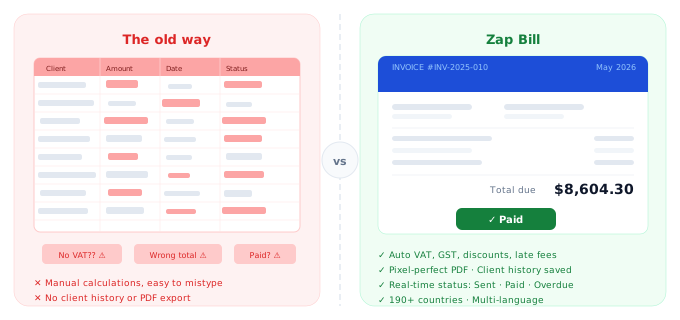
Zoho Invoice is part of Zoho's extensive suite of business tools, which includes a CRM, project management software, HR tools, and accounting software. For businesses already invested in the Zoho ecosystem, Zoho Invoice is a natural fit — it connects cleanly with Zoho Books, Zoho Projects, and other Zoho products, making it easy to manage clients, projects, and billing from a single platform. Zoho Invoice itself is free for up to 1,000 invoices per year, which is generous for most freelancers and small businesses. It also includes time tracking, expense tracking, and a client portal at no cost. The limitation is complexity: Zoho Invoice is designed to be part of a larger business operating system, and the interface reflects that. New users can find it overwhelming, and if you're not using other Zoho tools, you miss out on much of its value. Zap Bill is designed for businesses that want a standalone invoice tool — nothing more, nothing less. With zero setup time, a clean interface that anyone can use immediately, and an unlimited plan at just $9.99 per month, it's the fastest way to go from "I need to bill a client" to "invoice sent".
Quick Comparison
| Feature |
Zap Bill
|
Zoho Invoice |
|---|---|---|
| Pricing | Free (3 invoices total), $9.99/month unlimited | Free (up to 1,000 invoices/year) |
| Best For | Anyone wanting the fastest invoice creation | Users wanting invoicing + project management |
| Setup Time | 30 seconds | 5-15 minutes |
| Learning Curve | None - instant | Moderate to steep |
Feature Breakdown
Zap Bill Features
- Fastest invoice creation
- Beautiful templates
- Time & expense tracking
- Quotes & estimates
- Zero setup time
- Unlimited paid plan ($9.99/month)
- Extremely simple
- No training needed
Zoho Invoice Features
- Free up to 1,000 invoices/year
- Project management
- Time tracking
- Expense tracking
- Client portal
- Integrates with Zoho suite
Pros & Cons
Zap Bill
Pros
- Simplest interface
- Fastest creation
- No ecosystem lock-in
- Unlimited invoices for $9.99
Cons
- Only 3 free invoices
- No project management
- No wider CRM ecosystem
Zoho Invoice
Pros
- Generous free plan
- Project features
- Part of Zoho ecosystem
Cons
- More complex
- Requires Zoho account
- Slower interface
Our Honest Recommendation
Choose Zoho Invoice if you need users wanting invoicing + project management. Choose Zap Bill if you want anyone wanting the fastest invoice creation.
Both are excellent tools - the right choice depends on your specific needs. Zap Bill focuses on doing one thing exceptionally well: creating beautiful invoices fast.
Try Zap Bill Free (No Signup)Frequently Asked Questions
Is Zoho Invoice completely free to use?
Zoho Invoice is free for up to 1,000 invoices per year, but it works best as part of the broader Zoho ecosystem. If you're not using other Zoho products, you miss much of its value. Zap Bill is also free to start and $9.99/month unlimited, with a simpler interface that requires no training.
Do I need a Zoho account to use Zoho Invoice?
Yes. Zoho Invoice requires creating a Zoho account and configuring your workspace before you can send your first invoice. Zap Bill lets you create and download an invoice with no account at all — just open the tool and fill in your details.
What is simpler and faster than Zoho Invoice?
Zap Bill is designed to minimise friction. No menus to navigate, no ecosystem to configure, no integrations to set up. Create a professional invoice in under 60 seconds from any browser on any device.