Zap Bill vs Invoice Ninja Honest Comparison for Invoice Makers
Compare Zap Bill and Invoice Ninja invoice generators. While Invoice Ninja offers self-hosting, Zap Bill provides instant invoice creation with no setup required - perfect for quick, professional invoicing.
Try Zap Bill FreeAbout Invoice Ninja vs Zap Bill
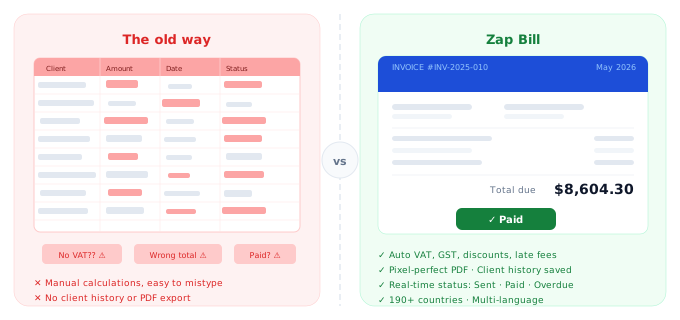
Invoice Ninja is an open-source invoicing and billing platform that stands out because of its self-hosting option — you can download and run it on your own server, giving you complete control over your data. For developers, agencies, and tech-savvy business owners who want full ownership of their billing software, Invoice Ninja is a compelling choice. The cloud-hosted version starts at $10 per month and includes features like recurring invoices, a client portal, payment integrations, and support for multiple companies. However, that flexibility comes with complexity. Setting up Invoice Ninja — especially the self-hosted version — requires technical knowledge: server configuration, database setup, and ongoing maintenance. For anyone who has ever stared at a "502 Bad Gateway" error right before a client invoice is due, this overhead is a real cost. Zap Bill is built for the opposite user: someone who needs a professional invoice in the next two minutes without installing anything, configuring anything, or reading a tutorial. No technical setup, no hosting decisions, no maintenance — just open a browser, fill in your details, and download a clean PDF.
Quick Comparison
| Feature |
Zap Bill
|
Invoice Ninja |
|---|---|---|
| Pricing | Free (3 invoices total), $9.99/month unlimited | Free self-hosted or $10/month cloud |
| Best For | Anyone who wants instant invoice creation | Tech-savvy users who want self-hosting |
| Setup Time | 30 seconds | 5-15 minutes |
| Learning Curve | None - instant | Moderate to steep |
Feature Breakdown
Zap Bill Features
- Instant setup - no installation
- Professional templates
- Lightning-fast creation
- Recurring invoice automation
- Quotes & estimates
- Mobile-optimized
- Simple and intuitive
- No technical knowledge needed
Invoice Ninja Features
- Self-hosting option
- Open source
- Client portal
- Recurring invoices
- Payment integration
- Multiple companies
Pros & Cons
Zap Bill
Pros
- Zero setup time
- Extremely fast
- No hosting required
- Beginner-friendly
Cons
- No self-hosting
- Focused on simplicity
- Less customization
Invoice Ninja
Pros
- Self-hosting available
- Open source
- Feature-rich
Cons
- Requires setup
- Complex for beginners
- Self-hosted version needs maintenance
Our Honest Recommendation
Choose Invoice Ninja if you need tech-savvy users who want self-hosting. Choose Zap Bill if you want anyone who wants instant invoice creation.
Both are excellent tools - the right choice depends on your specific needs. Zap Bill focuses on doing one thing exceptionally well: creating beautiful invoices fast.
Try Zap Bill Free (No Signup)Frequently Asked Questions
Is Invoice Ninja free to use?
Invoice Ninja has a free self-hosted option, but it requires server setup, database configuration, and ongoing maintenance. The cloud-hosted version starts at $10/month. Zap Bill requires zero setup — open a browser and create your first invoice in under 60 seconds.
Do I need to host my own software to get a free invoice tool?
No. Zap Bill is free to use directly in your browser — no installation, no server, no technical knowledge needed. Your first three invoices are completely free with no account required.
What's the easiest alternative to Invoice Ninja?
Zap Bill is the fastest path from "need to invoice a client" to "invoice sent." No configuration, no self-hosting decisions, no tutorials — fill in your details and download a professional PDF instantly.